
Do you not feel comfortable practicing conversations in your new language with locals just yet? You are not alone - this step is one of the hardest to overcome.
Use our AI conversation tool to prepare yourself for real conversations so you feel better equipped to take the next step on your language journey.
Watch a short video to see how the tool works:
VIDEO
You can also follow the steps below to get started with the AI conversation tool.
Step 1: Go to what you want to practice
Go to 'Language lessons' on the Swap Language platform.
Navigate to the 'Module' and find the 'Lesson' you want to practice.
Enter the 'Lesson'.
Step 2: Open the AI conversation tool
In your lesson, go to the box on the right-hand side of the on-demand lesson.
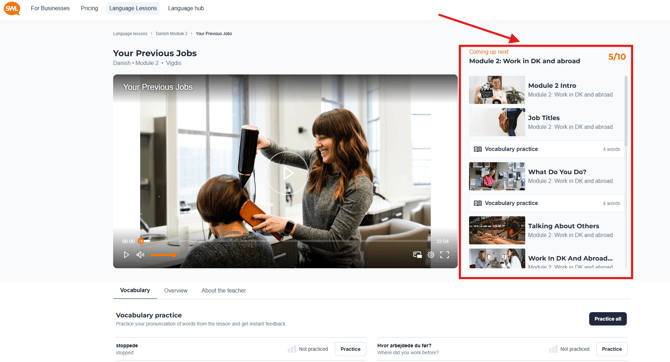
Scroll down until you see the 'Conversation Practice' tab, and click it to open the AI conversation tool.
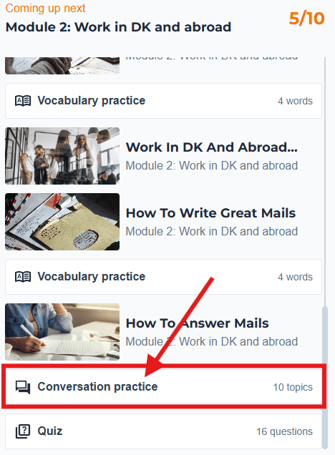
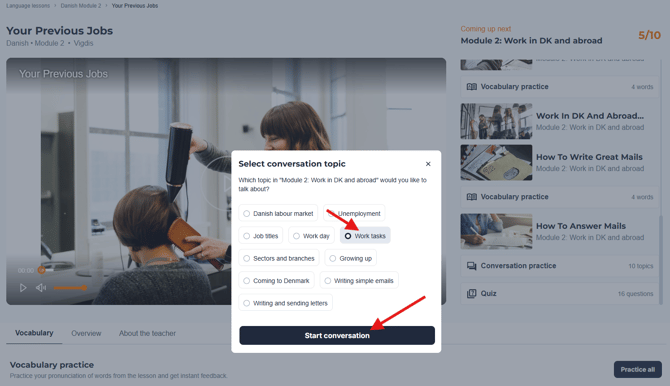
A pop-up will appear where you can select the topics connected to the Module and Lesson you are studying.
Select a topic, such as 'Work tasks' and press 'Start conversation'.
Step 3: Practice your speaking and writing skills
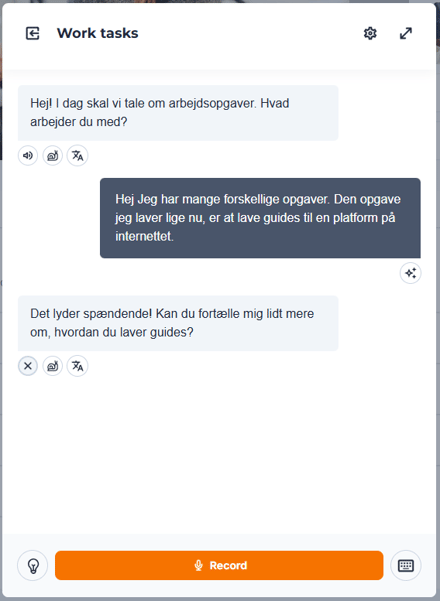
The conversation opens, and you are ready to start practicing your chosen topic.
The AI will greet you and ask you a related question.
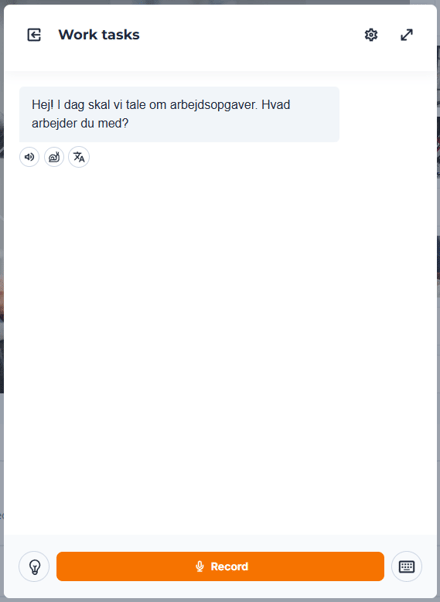
Do you need help with what it said?
Press the 🔊 to listen to the phrase again.
Press the 🐌 to slow down the pace.
Press the  to see a translation of the phrase.
To respond, click the 'Record' button to start, and press it again to finish your recording.
The AI will keep the conversation going and follow up with new questions based on what you said or the chosen topic.
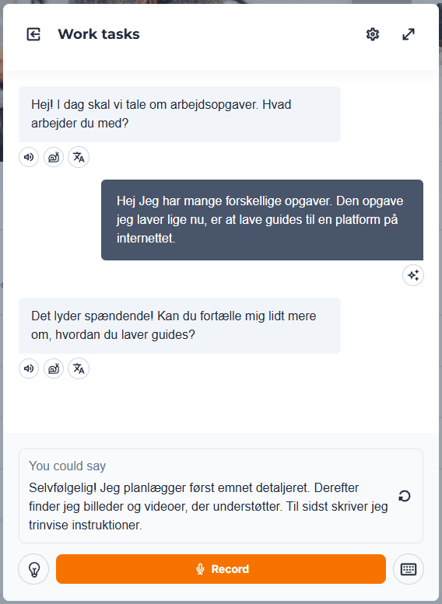
Not sure what to say?
You can press the 💡to get started with a suggestion.
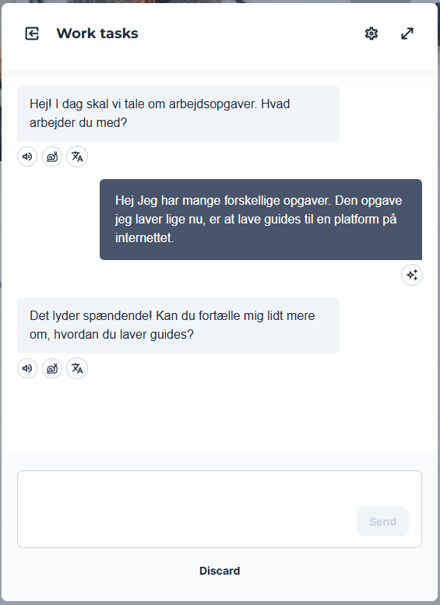
You can also press the ⌨️ to practice your writing skills rather than speaking and recording your answers.
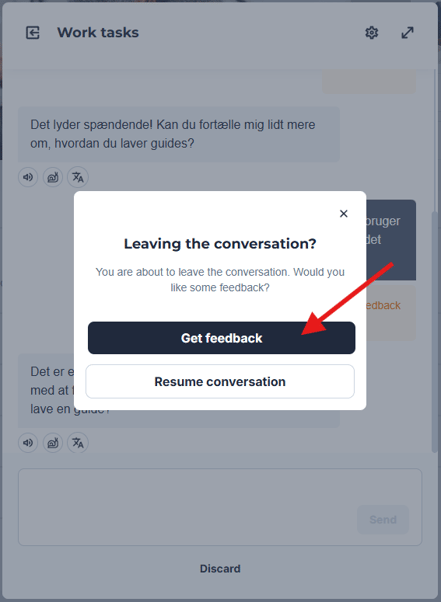
When you are done practicing, you can press the  button to leave the conversation.
Press 'Get feedback' to finish.
You will now see a feedback overview of your conversation.
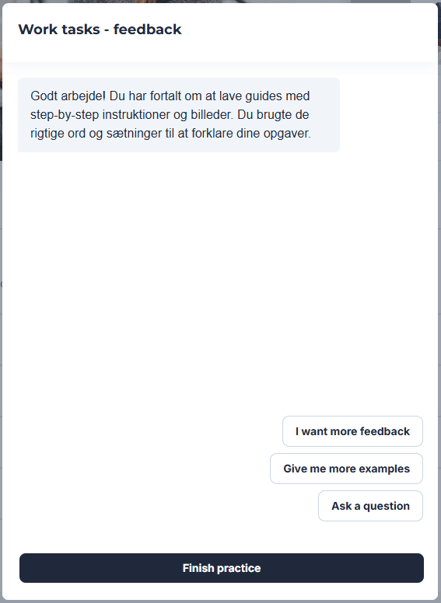
You can press 'I want more feedback' ask it to 'Give me more examples', and 'Ask a question' to get the complete overview of your practice session.
Press 'Finish practice' when you have received all your feedback.
You are now ready to practice conversations in your new language until you feel comfortable taking the conversation out into the world.