.svg)
This article applies to Essential and Speak Pro subscriptions purchased directly by you.
If your access is provided through a company, please contact Support instead.
Cancel your subscription
You can cancel your subscription directly from My account.
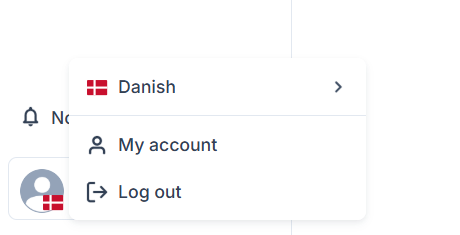
Once you are on My account, you click Subscription & Billing

Your subscription runs in 30-day billing cycles, and cancellation is handled automatically.
You can cancel at any time up until the last day of your current billing cycle.
Before you cancel
Check your current billing cycle in your account so you know when your next renewal is scheduled.
Once you have cancelled, follow the information shown in your account for the status of your subscription.
Need help?
If you have trouble cancelling your subscription or cannot find the option in My account, please contact Support.