.svg)
The Learning Path is your main learning area in Swap Language. It guides you through your course in a clear order, so you can see what to work on now and what comes next.
At the top of the Learning Path, you can switch between the courses available within the language you are learning.
Follow the path step by step
The Learning Path is designed to be followed in order.
Video lessons introduce new topics, vocabulary and language. You then get opportunities to practise what you have learned through pronunciation and conversation activities.
Along the path, you will find:
- Video lessons to introduce new language, vocabulary and topics
- AI Pronunciation to practise vocabulary and pronunciation from your lessons
- AI Conversation to practise using what you have learned in a conversation
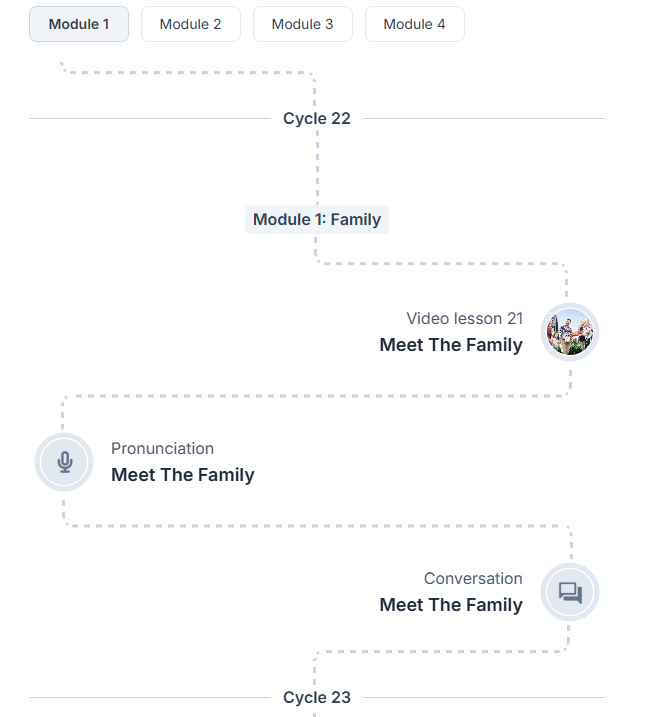
This structure helps you move from learning new language to actively using it.
Learn in cycles
The Learning Path is divided into Cycles.
A Cycle represents the preparation leading up to your upcoming speaking lesson (Speak Pro and Business Pro have Speaking lessons included). The activities within the Cycle help you prepare so you can get as much as possible out of your time with your teacher.
Once your speaking lesson has taken place, you move on to the next Cycle and continue along your Learning Path.
See how prepared you are
On the right side of your Learning Path, you can find Learning activity.
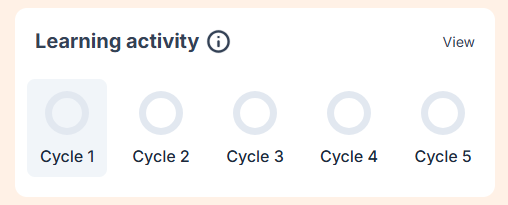
Learning activity shows your preparation progress for each Cycle. This makes it easier to see how much you have completed and where you are in your current Cycle.
Your Learning Path itself also shows your current position and the activities coming up next.
Check what you have learned with quizzes
After every 10 video lessons, you will find a quiz in your Learning Path.
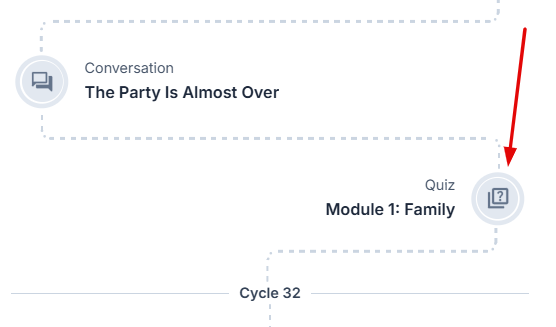
The quiz checks your understanding of the grammar and vocabulary introduced in the previous 10 video lessons.
It is a useful opportunity to check your progress before continuing with new content.
Complete the course test
At the end of a course, you will complete a test covering the content you have learned throughout the course.
The test helps you check your understanding before moving forward in your language journey.
Use Free Talk for extra practice
Free Talk sits outside the Learning Path, so you can use it whenever you want additional speaking practice.
There is no pre-defined situation. You choose what you want to practise or talk about and tell the AI what you would like to focus on.
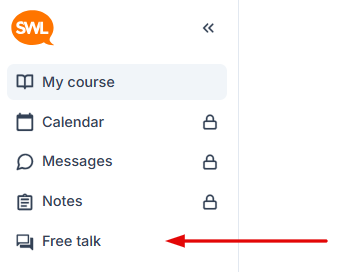
Free Talk does not replace the activities in your Learning Path. It gives you an additional way to practise the language on your own terms.