.svg)
You can contact your teacher directly inside the platform. (You can also reach out by mail).
Whether you have a question, need clarification, or want to share something before your lesson — here’s how to do it.
🎥 Prefer to see where to click?
Here’s a quick walkthrough showing exactly where to find and message your teacher.
How to contact your teacher (Step-by-step)
1. Log in on Swap Language
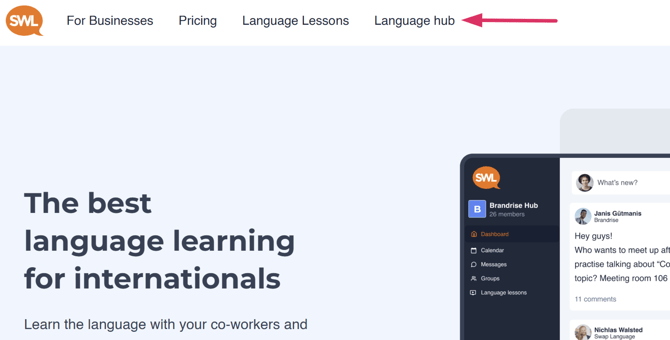
To communicate with your teacher, please go to your ‘Language hub’. You click Language hub in
the top navigation bar.
2. Open your speaking lesson overview
Navigate to your speaking group or upcoming lesson.
/Notes%20image%202%20-%20find%20notes.png?width=670&height=672&name=Notes%20image%202%20-%20find%20notes.png)
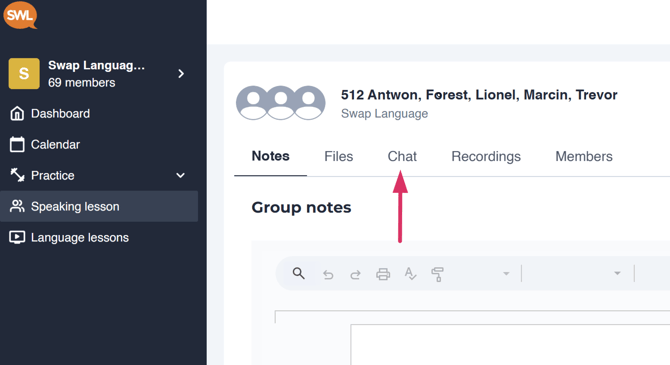
3. Enter the Chat
Click 'Chat'.
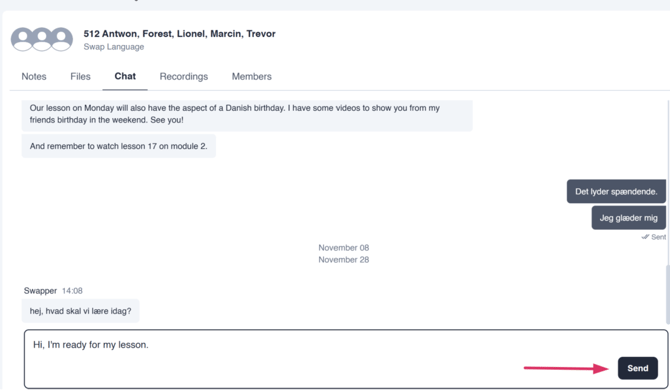
4. Write and send your message
Here you can communicate with your teacher and group members about reschedules, lesson
material and everything you need to chat about.
What to expect
Teachers usually reply within a reasonable timeframe.
If your lesson is about to start, it’s better to join the session directly rather than wait for a reply.
For urgent technical issues, contact support instead.
When should you contact your teacher?
You can contact your teacher if:
-
You have a question about homework
-
You need clarification on a lesson topic
-
You want to inform them you’ll be slightly late.
For technical or access problems, contact support.
Access
Contacting your teacher is available to users enrolled in speaking lessons.
If your company is paying for your course, this feature is included.
Related guides
-
How to join your speaking lesson
-
How to reschedule a lesson
-
Having trouble joining your lesson?