.svg)
Watching a lesson is great.
But speaking? That’s where confidence grows.
Many learners tell us they understand much more than they dare to say. AI conversations help close that gap.
“It feels less scary than speaking in front of others. I can try, fail, and try again.”
– Pro user
You don’t need to be perfect here. You just need to try.
🎥 Quick walkthrough
Watch this short video to see how AI conversations work.
How to use it (Step-by-step)
1. Open a video lesson
Go to the lesson you’re currently watching (or click any lesson). Look on the right of the lesson and scroll to the bottom of the video list.
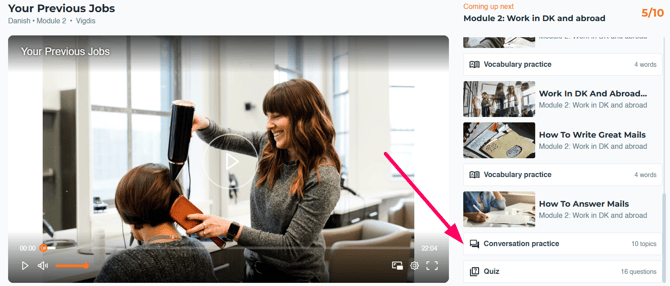
2. Click “Start AI conversation”
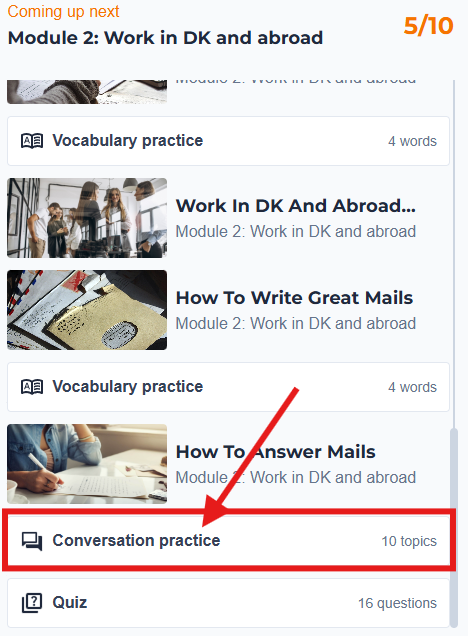
You’ll see the AI conversation button 'Conversation practice'.
Click it.
3. Allow microphone access
The first time you use it, your browser will ask for microphone permission.
Click Allow.
Without this, the AI can’t hear you.
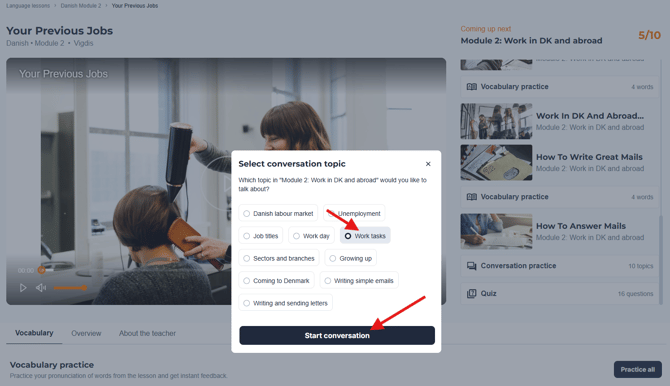
4. Choose your desired conversation topic
Select a topic, such as 'Work tasks' and press 'Start conversation'.
4. Start speaking
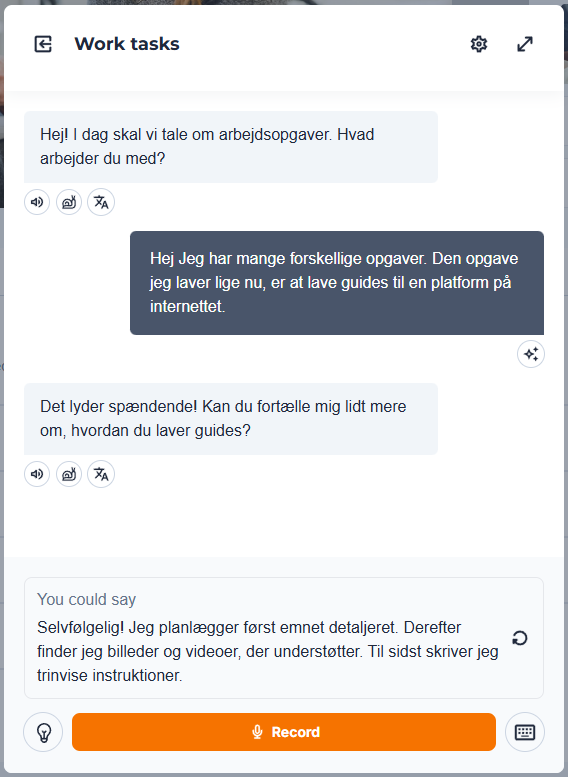
The conversation opens, and you are ready to start practicing your chosen topic.
The AI will greet you and ask you a question related to the topic.
You can:
-
Answer questions
-
Ask questions back
-
Try again if you’re not happy with your answer
There’s no rush.
Helpful buttons to press during the conversation:
🔊 to listen to the phrase again.
🐌 to slow down the pace.
 to see a translation of the phrase.
💡to get started with a suggestion.
⌨️ to practice your writing skills rather than speaking and recording your answers.
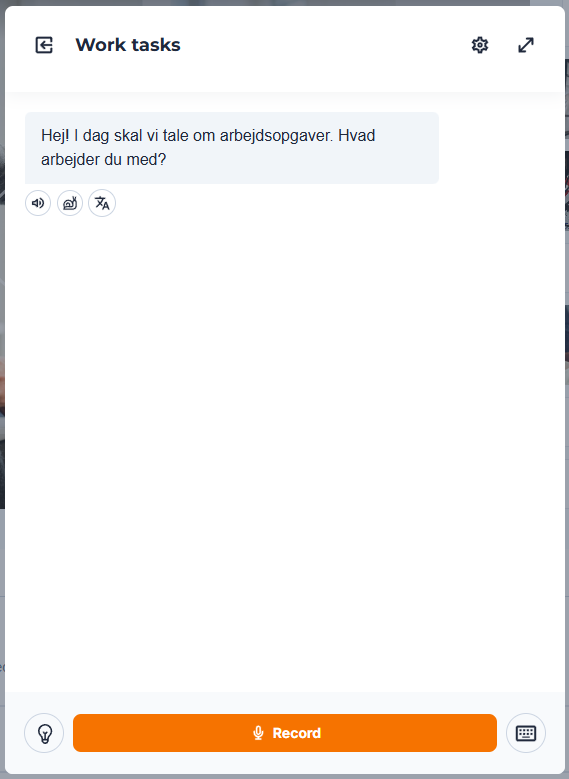
To respond, click the 'Record' button to start, and press it again to finish your recording.
The AI will keep the conversation going and follow up with new questions based on what you said or the chosen topic.
After the conversation – what happens next?
You can:
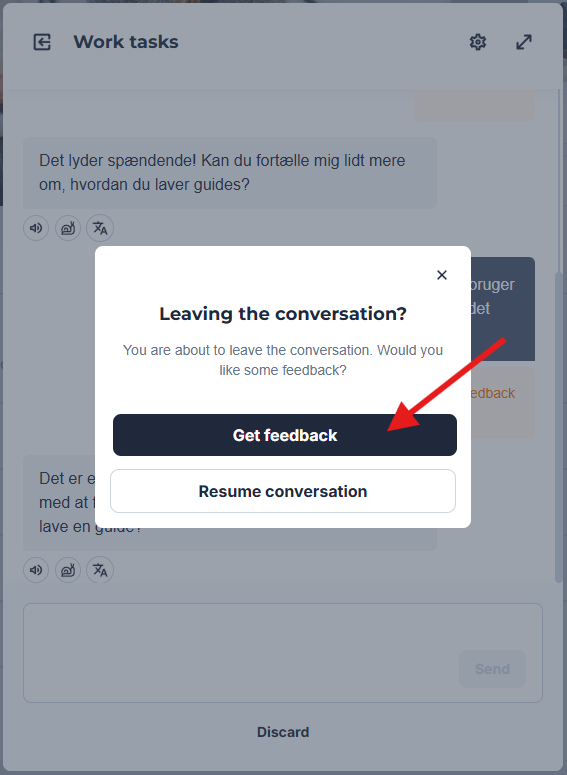
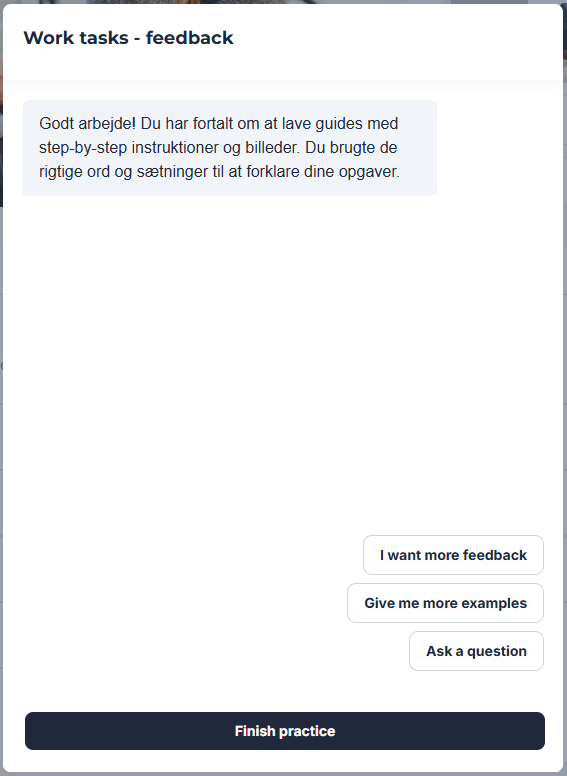
- end the conversation and get feedback on your performance
- Try again immediately
- Continue to the next lesson
Progress comes from repetition, not from getting everything right the first time.
Access
AI conversations are fully unlocked for Pro users.
If you’re using the free version, you have limited access.
If your company is paying for your course you have unlimited access
Having trouble?
Try these quick checks:
-
Is your microphone turned on?
-
Did you allow browser microphone access?
-
Are you using Chrome, Safari, or Edge (updated version)?
-
Try refreshing the page
-
Try using headphones to reduce background noise
If it still doesn’t work, contact support and we’ll help you.
Related guides
-
How to use AI pronunciation practice
-
How video lessons work