.svg)
Quizzes help you check your understanding after watching a lesson.
They’re usually between 20 - 30 questions, focused, and directly connected to what you just learned.
You can take them when you feel ready.
🎥 Prefer to see how it works?
Here’s a short walkthrough showing where to find the quiz and what it looks like.
How to take a quiz (Step-by-step)
1. Open a video lesson
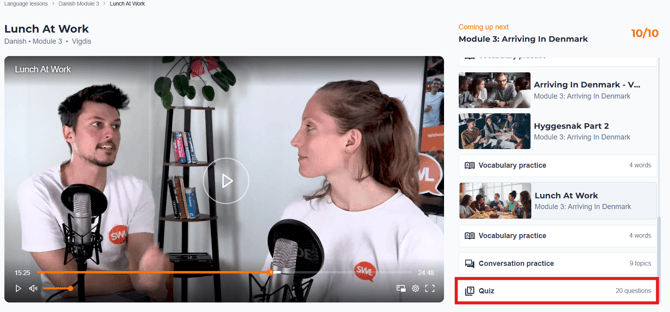
Go to the lesson you’ve just watched. On the right side, scroll down and you’ll find the quiz connected to the lesson.
2. Answer the questions
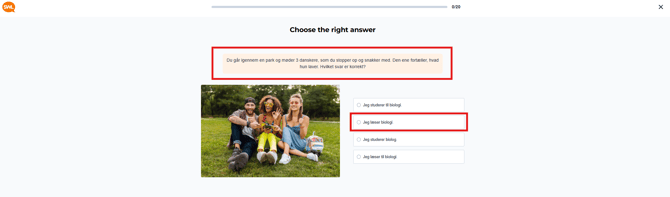
Read each question carefully and choose your answer.
Take your time. There’s no rush.
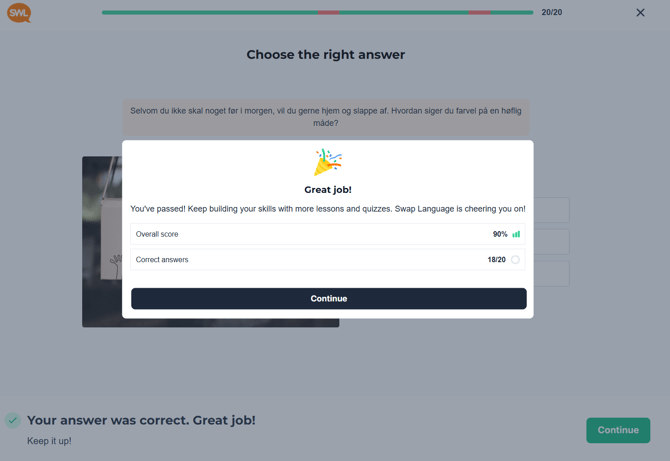
3. See your results
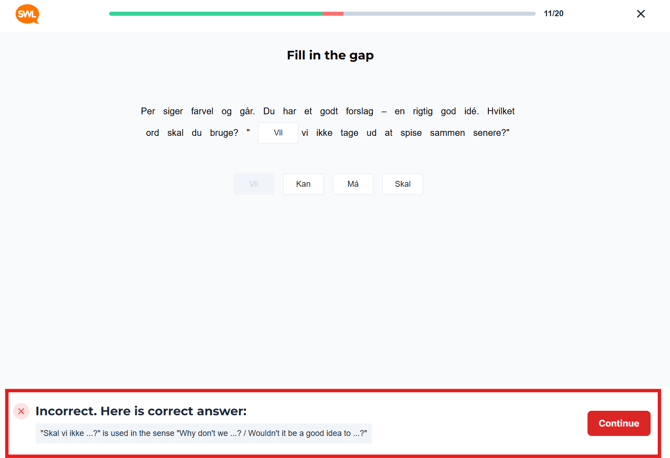
After finishing each question, you’ll immediately get feedback.
You’ll know:
-
Which answers were correct
-
Which ones need another look
You can review and try again if you want.
What to expect
Quizzes are designed to:
-
Reinforce vocabulary
-
Check understanding
-
Help you notice small details
Getting something wrong is normal.
That’s useful information and not a failure.
Access
Quizzes are unlocked for Pro users.
If you’re using the free version, you’ll have access to video lessons, but not quizzes.
If your company is paying for your course, you most likely have full access.
Having trouble?
Try these quick checks:
-
Refresh the page
-
Make sure you’re logged in
-
Try a different browser
-
Clear your cache if the quiz doesn’t load
Still stuck? Contact support and we’ll help.
Related guides
-
How to find your video lessons
-
How to track your progress
-
What is the difference between Free and Pro?