
Quiz
You can find a Quiz for each module, to test yourself on the topics discussed in your lessons.
Watch this short video, for a full guide, or read the steps below.
[VIDEO: ALLAN TRYLLER I EN QUIZ]
How to find it:
Access it in the Module:
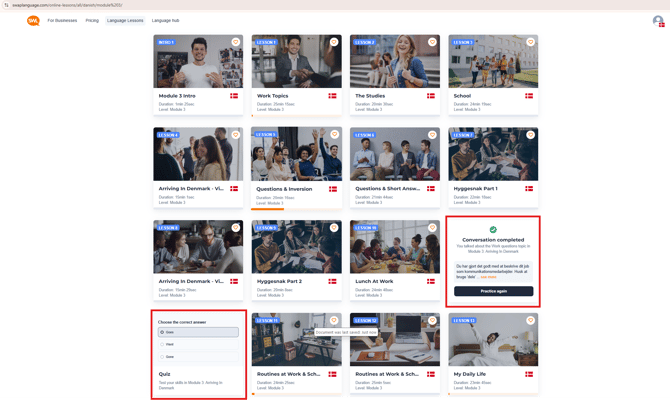
Go to 'Language Lessons' and select the 'Module' you are currently studying.
Here you can find the 'Quiz' near the bottom of the list as shown below.
Access it in the Lessons:
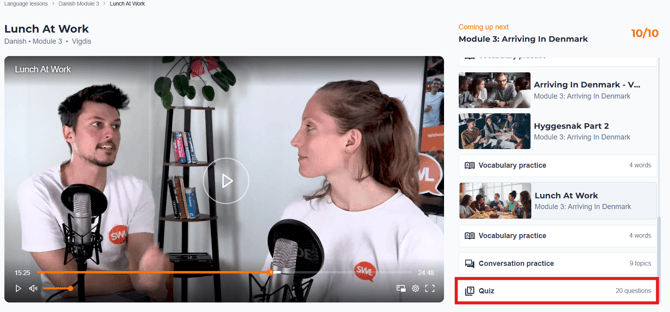
When you are in the lesson, you can also find the 'Quiz' in the menu on the right hand side of the screen.
If it does not appear, you might have to scroll down to the bottom.
How to use it
Open up the 'Quiz' and start testing out your new language skills.
The question is at the top, and you have several options to pick from on the right-hand side.
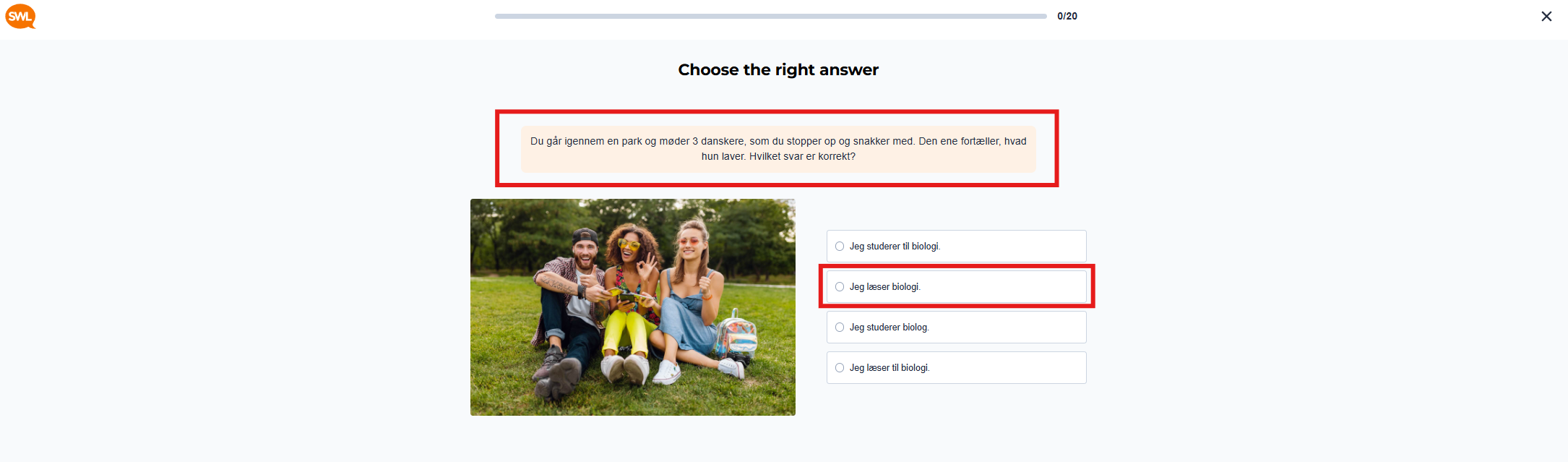
Once you have selected your answer, you can press 'Check' to continue.
Press 'Continue' to go to the next question.
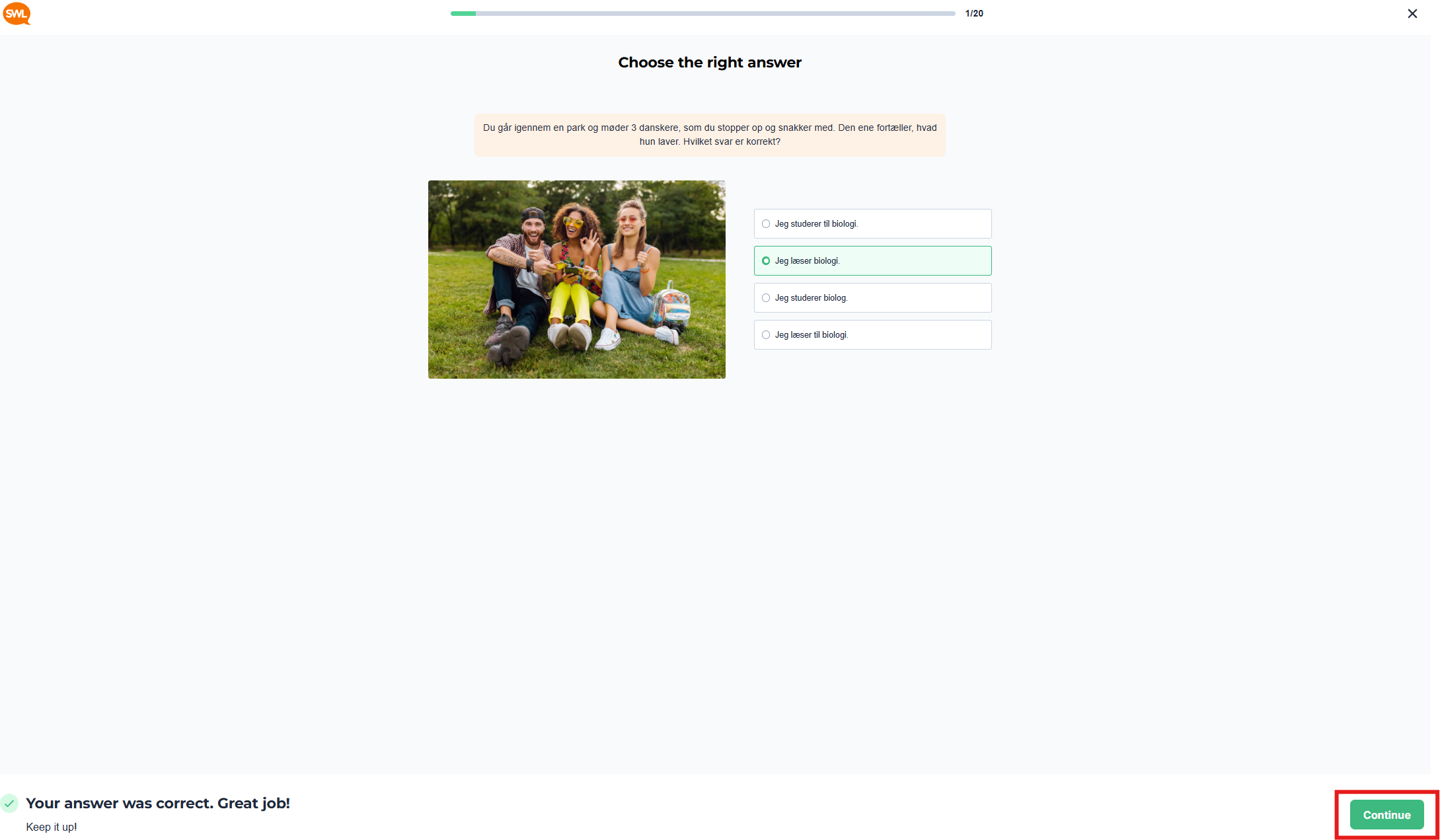
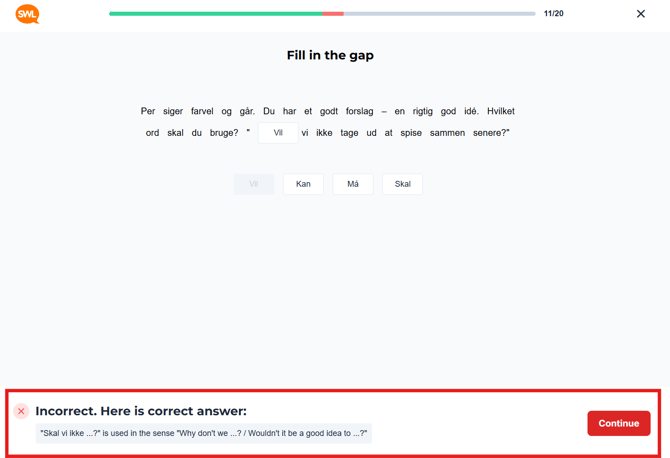
If you get an answer wrong, you can see an explanation of why this answer was not correct at the bottom of your screen.
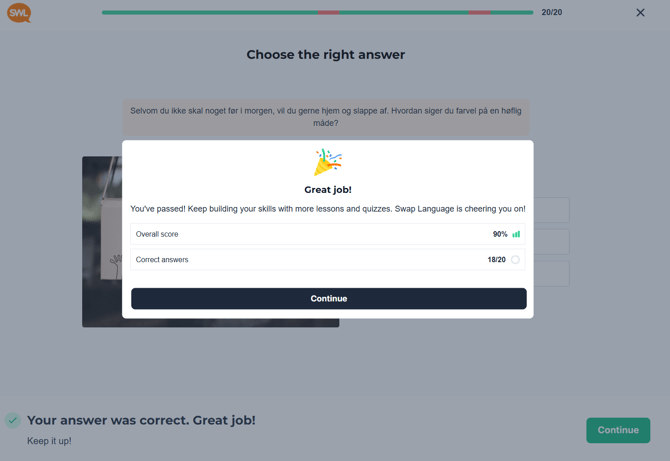
Once you have completed the Quiz, you will see your overall score.
That's it!
You are now ready to put your language skills to the test, and make sure that your knowledge stays in the top of your mind.